How to login to the VoCALL emergency communication system panel
2:58
Learn how to login to the Eaton VoCALL 16 emergency voice communication system panel. In this video, there is a step-by-step guide on how to login to VoCALL 16 panel (standalone or network): starting with how to re-activate the screen through to how to select your user and input your password. If you exceed your maximum of five login attempts the panel will you will need to contact our Technical Support team, learn more at www.eaton.com.
Learn how to login to the Eaton VoCALL 16 emergency voice communication system panel. In this video, there is a step-by-step guide on how to login to VoCALL 16 panel (standalone or network): starting with how to re-activate the screen through to how to select your user and input your password. If you exceed your maximum of five login attempts the panel will you will need to contact our Technical Support team, learn more at www.eaton.com.
Fire Systems & Devices Similar Videos
-
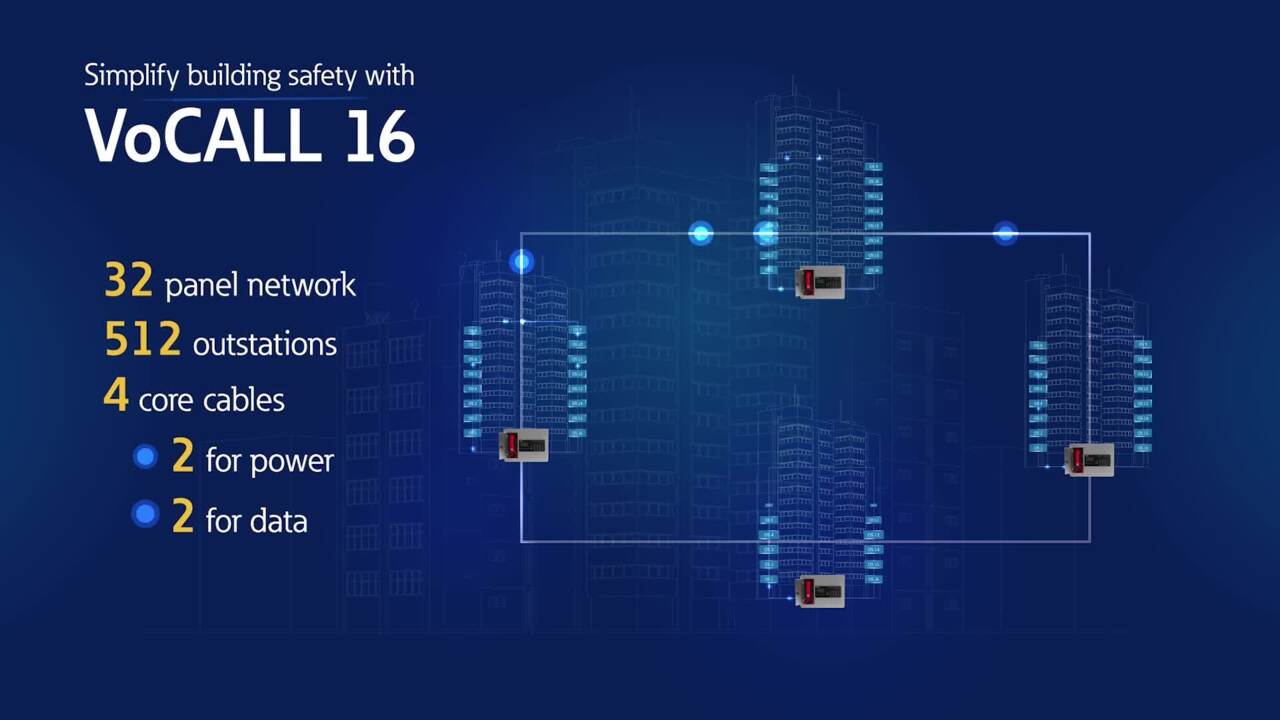
Simplify building safety with VoCALL 16
0:31
Familiarise yourself with VoCALL 16.
-
Slow the spread of fire and smoke with xDetect
0:30
xDetect makes complex applications possible through compatibility with large interfaces, enabling the use of door holders and retainers within the network.
-
Key fire information where you need it with xDetect
0:30
xDetect is compatible with our CF3000PRG passive loop repeater, making it easy to display key fire information exactly where needed at your installation site.